
Jay William
Founder | Villa Marketers
25+ Years in Hospitality · Vacation Rental Marketing Since 2005
Direct Bookings • SEO • AI Tools • Branding • Advertising • Owner Acquisition • Growth Systems
- Last Updated
- June 2026
- Reading Time
- 11 min read
- Reviewed for Accuracy
- June 2026
I've been building vacation rental websites for over 20 years, and I'll tell you the same thing every time someone tells me they "just redesigned the site": congratulations, and also, how much income did you just lose?
That's not me being dramatic. I watched it happen again recently. A solid business, a beautiful new site, a theme switch they were proud of. And many of the links that used to lead to booking pages, blog posts, and high-traffic content now led straight to a 404.
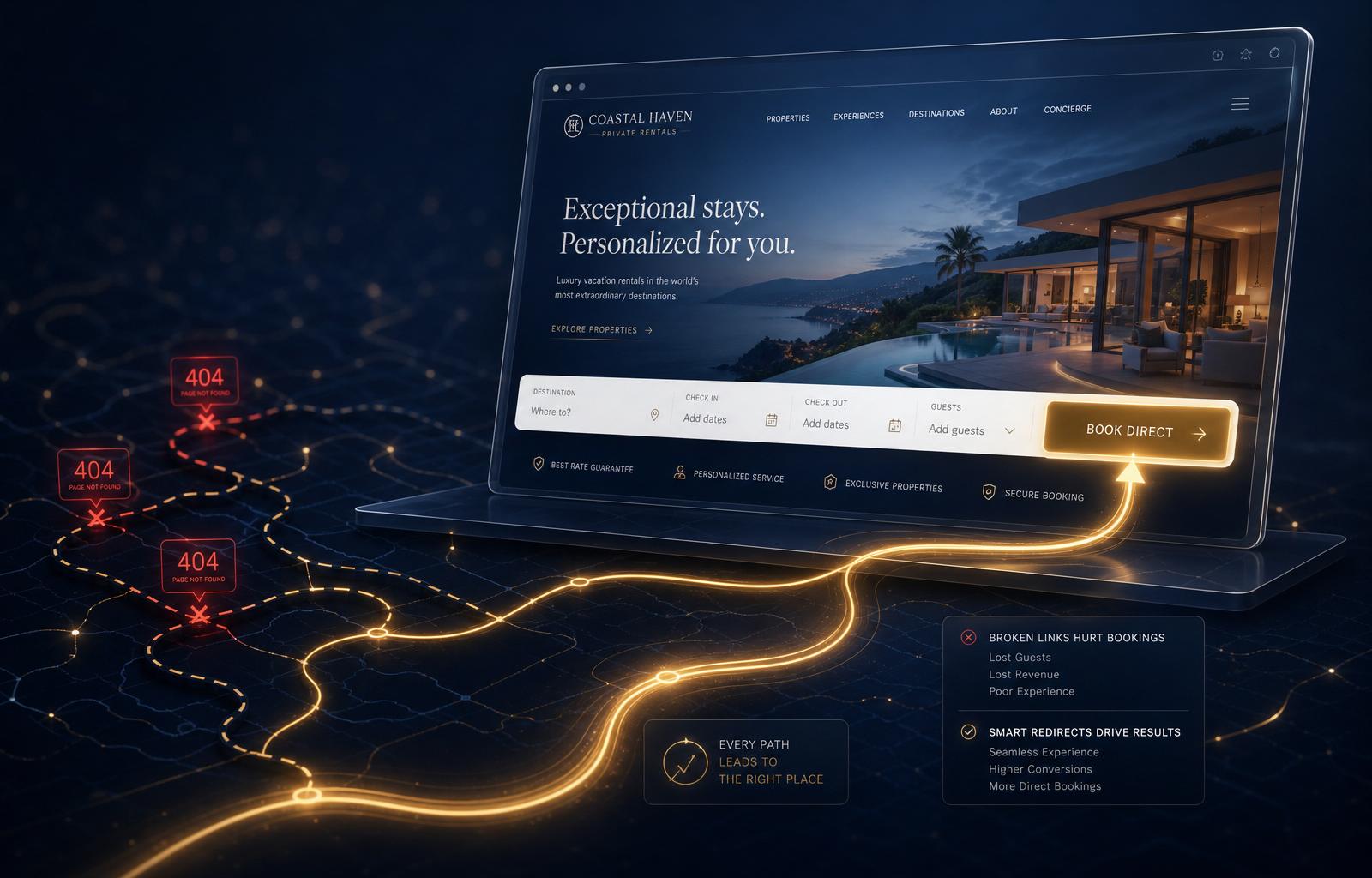
Redesigns don't kill bookings. Broken redirects do.
Here's the part that should bother you. A new design doesn't cost you the way people think it does. The real cost shows up two weeks later, when your traffic quietly drops and nobody on the team connects it back to the relaunch. For a vacation rental brand running direct bookings, traffic isn't a vanity metric. That's real reservations not coming in.
The Vacation Rental Website Redesign Checklist
- 1Save your old URLs
- 2Export your winners
- 3Map old pages to new pages
- 4Preserve metadata and schema
- 5Add 301 redirects
- 6Submit your sitemap
- 7Crawl the live site
- 8Monitor Search Console
Use this before any redesign, platform switch, or relaunch.
That's the whole job. Everything below is me walking through each one so you actually understand why it matters, not just what to click.
Mid-redesign and worried about your URLs? Let's pressure-test the plan first.
The Two Things That Actually Tank Your Traffic
It's never the new design. Designs don't rank. Pages do.
Designs don't rank. Pages do.
1. You lose the SEO equity you already earned
Every page on your old site that was ranking had metadata behind it: title tags, meta descriptions, schema markup, sometimes years of accumulated trust signals. When a new build goes live without carrying that over, you're not starting from a blank page. You're starting from a deleted one.
2. You break the links Google and AI search already trust
This is the big one, and it's the one almost nobody catches until the damage is done. Every backlink pointing at your site, every bookmark a past guest saved, every old blog post somebody shared on Facebook five years ago, all of it points at a URL. Change your URL structure without redirecting the old ones, and you've cut every one of those connections at the root.
Search engines treat a dead link the same way you'd treat a disconnected phone number. They stop routing trust to it. And in 2026, this is bigger than Google. AI answer engines are still heavily dependent on crawlable, trustworthy, well-connected web pages. When old URLs break, you don't just lose a ranking. You may lose one of the source paths an AI system could have used to find, understand, trust, or cite your business when a future guest asks where to stay.
The Fix: Do This Before You Launch, Not After
The old advice was "go find your dead links after the fact." The better advice, the one I actually use with clients now, is to capture everything before your old site disappears.
Step 1: Secure Your Legacy Data
Before you take the old site down:
- Pull your full list of indexed URLs from Google Search Console's Performance and Links reports.
- Run a crawl of your current site with Screaming Frog SEO Spider and export every URL. The free version covers up to 500 pages, which is plenty for most vacation rental sites.
- Export your historical top-performing pages from analytics. These are the URLs carrying the most existing trust — they're your priority list.
If the old site is already gone and you skipped that step: the Wayback Machine is still the best free way to reconstruct what you lost. Pull up your old domain, click through the archived menus, and rebuild your list of legacy URLs manually.
Step 2: Map and Implement 301 Redirects
A 301 redirect tells search engines and browsers, permanently, "this page lives here now." Don't use a 302 for a permanent redesign. A 302 tells Google the move is temporary, which can delay or confuse the signal consolidation you need after a relaunch. For a permanent move, use a 301.
Where you set this up depends on your platform:
- WordPress: the Redirection plugin is still the simplest free option.
- Modern site builders and custom platforms: Webflow, Framer, and similar systems often have a native redirects panel. If not, set redirects at the host or CDN level through something like Cloudflare's bulk redirect rules.
- Larger migrations: Screaming Frog can use AI and vector embeddings to help match old URLs to the closest new equivalent. Treat it as a strong first pass and review every match by hand before it goes live.
Step 3: Alert the Search Engines
Google killed its old public URL submission tool years ago. Don't go looking for it. What actually works now is simple: keep your XML sitemap current and resubmit it in Search Console, then use the URL Inspection tool's "Request Indexing" only on your highest-priority pages. There's a daily limit on individual requests, and Google doesn't publish the exact number, so don't waste it on minor URLs. Do the same cleanup in Bing Webmaster Tools. This speeds up rediscovery. It's a request, not a magic switch, so give it real time to take effect.
What This Actually Looks Like When It's Done Right
I've shared this case study before, and it's still the best proof I've got. One client had redesigned their site more than once, killing their own links each time. We rebuilt the redirect map, restored the metadata, and didn't touch a single paid ad.
Traffic climbed 400%
in two months — purely from reconnecting earned authority.
Conceptual illustration of recovery shape, not actual analytics axes.
You're not creating new authority out of thin air. You're just stopping yourself from throwing away the authority you already built.
Don't Stop at "Fixed"
Once your redirects are live and traffic stabilizes, that's not the finish line. Run a fresh Screaming Frog crawl a few weeks post-launch to catch anything that slipped through. Check Search Console's coverage report monthly for a while. And before your next redesign, however many years from now, save this article and do it in the right order this time.
Tools Worth Having In Your Corner
FAQ
Will my traffic always drop after a website redesign?
A small, short-lived dip is normal and usually recovers within a couple of weeks on its own. If it's still dropping or hasn't bounced back after a month, that's not a normal adjustment. That's usually a broken-links problem.
What's the real difference between a 301 and a 302 redirect?
A 301 tells Google the move is permanent, so it can treat your new URL as the replacement and consolidate signals there. A 302 tells Google the move is temporary, which can keep the old URL eligible to show in search results instead. For a redesign, that's almost never what you want. Use a 301.
Do I need to redirect every single old URL, even minor ones?
Prioritize anything with existing traffic, backlinks, or rankings first. A 10-year-old blog post with three backlinks matters more than a forgotten staff bio page. Start with your top performers and work down the list.
My old website isn't online anymore. Can I still find those links?
Yes. The Wayback Machine archives many public websites over time. Pull up your old domain, click through the archived navigation, and rebuild your URL list from there.
Does any of this affect how AI tools like ChatGPT or Google's AI Overviews find my site?
Yes, and this matters more every year. These systems still depend heavily on crawlable, well-connected pages to understand and trust a site. A site full of broken links and dead redirects is harder for them to trust and cite, the same way it's harder for Google to rank.
Can I handle this myself, or do I need a developer?
If you're on WordPress with a small site, a redirect plugin and an afternoon will get you most of the way there. Larger sites, platform migrations, or anything with hundreds of legacy URLs are worth bringing in someone who's done this before. The cost of getting it wrong is almost always higher than the cost of getting help.
Planning a redesign or trying to recover from one?
Before more traffic slips away, let's review the URLs, redirects, metadata, and booking paths that protect your direct bookings.
Part of one connected body of work
These flagship guides build on each other. Each one is part of the same direct-booking system.
Jay William
Founder, Villa Marketers · Co-Founder, Knokx
Jay William is the founder of Villa Marketers and co-founder of Knokx, with 20+ years helping vacation rental brands grow beyond OTA dependence. His work focuses on direct-booking strategy, SEO and AI visibility, brand positioning, and owned demand systems for hosts and property managers.
Industry peers call him The Father of Vacation Rental Marketing.
- Direct Booking Strategy
- SEO & AI Visibility
- Brand Positioning
- Property Manager Marketing
- Owner Acquisition